Online Payments
Generate a list of reports of online payments by various categories. Expiration List, Pre-Authorized Payment List, Transaction List, Web User Cash Log.
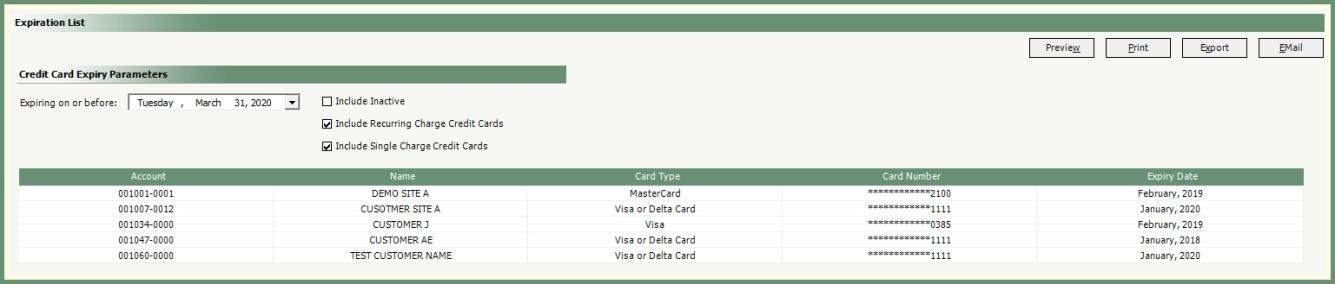
Generate a list of credit cards expiring on or before a specified date.
Navigate To: Reports>Report Center>Accounting>Online Payments>Expiration List
-
Select an Expiring Date.
-
Select parameters to be included. (Inactive, Recurring and/or Single Charge).
-
The grid will populate with credit cards expiring within the parameters selected.
-
Select an Output

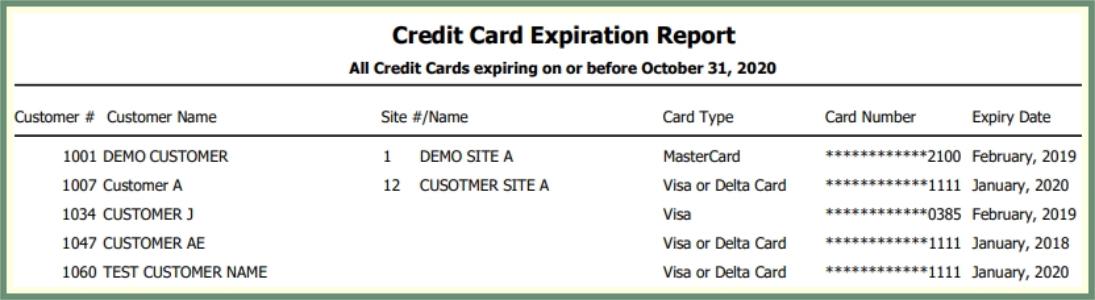 .
.
Pre-Authorized Payment Listing
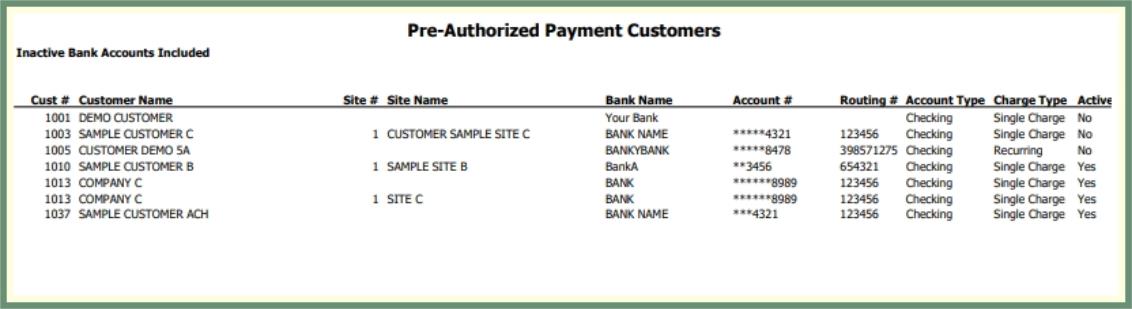
Generate a list of pre-authorized payments by customer, account and charge type.
Navigate To: Reports>Report Center>Accounting>Online Payments>Pre-Authorized Payment Listing

-
Select to Include Inactive or unselect to Exclude Inactive.
-
The grid will populate with pre-authorized payments according to the parameters.
-
Select an Output
 .
.
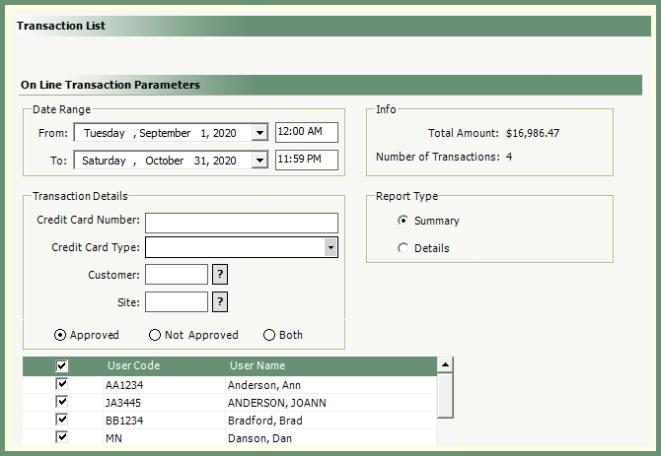
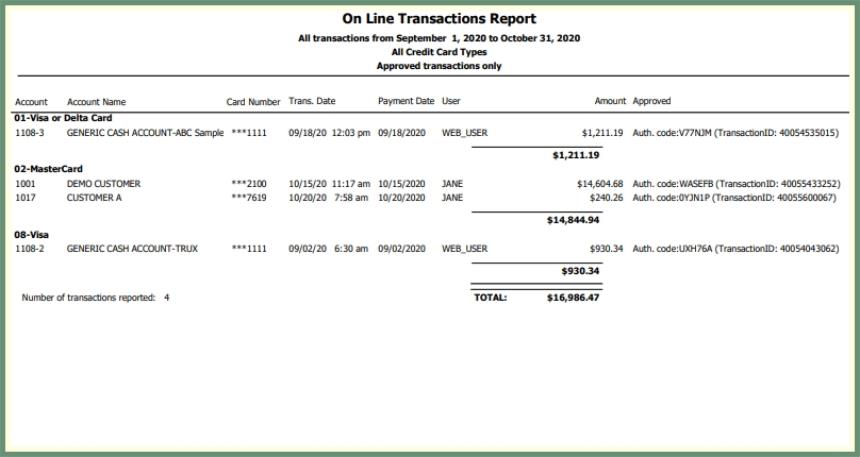
Generate a list of online payment transactions by date range, approval status and user(s).
Navigate To: Reports>Report Center>Accounting>Online Payments>Transaction List
|
|
-
Select and Date and Time Range.
-
Option to specify Transaction Details or leave blank to consider all transactions.
-
Select to include Approved, Not Approved or Both.
-
Select all or specific Users.
-
Info section will populate with Total Amount and Number of Transactions based on the selected parameters.
-
Select Report Type Summary or Detail.
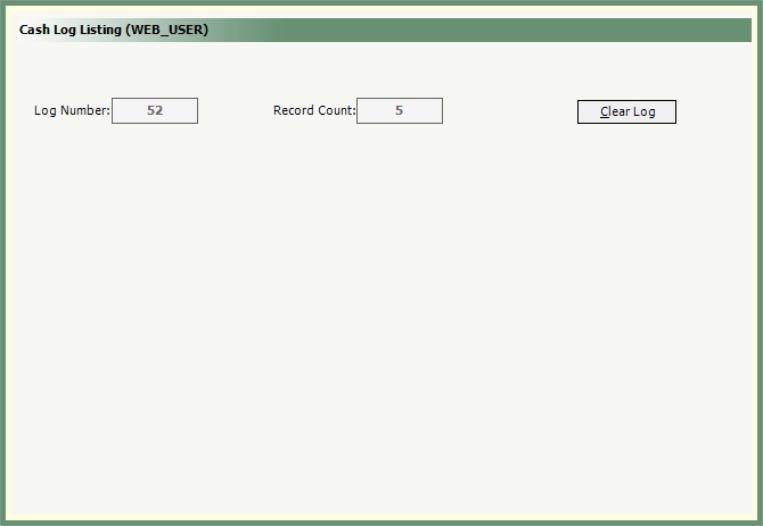
Generate a report of Web User posted payments to invoices and on account.
Navigate To: Reports>Report Center>Accounting>Online Payments>Cash-Log Listing(Web_User)
|

|
-
The current open Log Number and Record Count will populate as read-only.
-
Select an Output to generate the Cash Log Listing for the current log.
-
Click Clear Log to clear the log records and advance to the next Log Number.