Vehicle Reports
Delete this text and replace it with your own content.
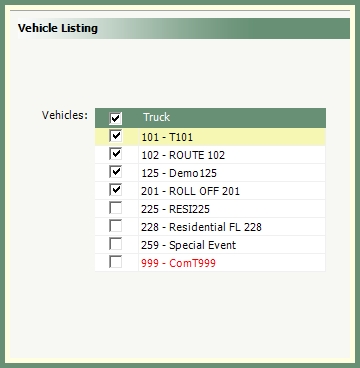
Generate a list of specified vehicles to view vehicle entry details, current odometer & hours.
Navigate To: Report>Report Center>Routing>Vehicle Listing
|

|
-
Select all, multiple or single vehicles from the Truck grid.
-
Inactive vehicles will be displayed in red.
-
Select an output.
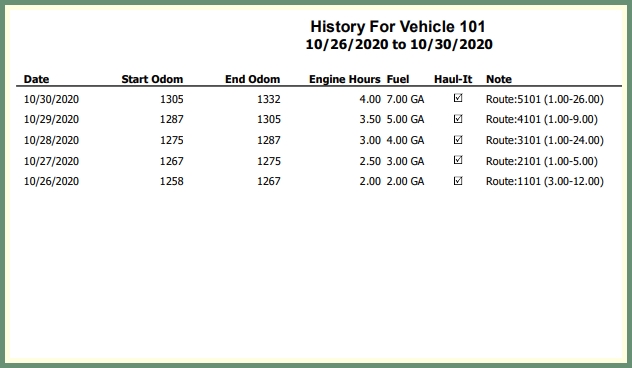
Generate a list of vehicle usage by date and includes the odometer readings, engine hours and fuel.
Navigate To: Report>Report Center>Routing>Vehicle Usage History

|
|
-
Select a start and end Date.
-
Select a Vehicle from the drop down.
-
Select an output.
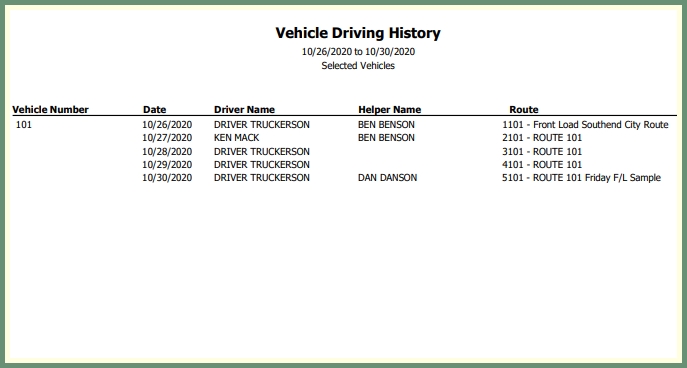
Generate a list of drivers per route by date and vehicle
Navigate To: Report>Report Center>Routing>Vehicle Driving History

|
|
-
Select a start and end Date.
-
Select Vehicle(s) from the grid.
-
Select an output.