Global Service Termination |
|

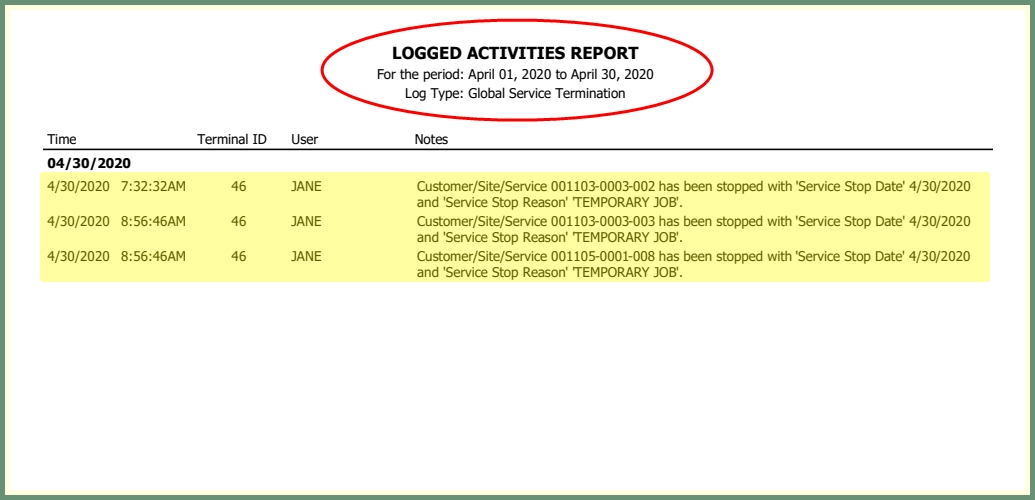
Completed calls on services with an activity marked as Service Termination will be included in the global service termination process which is accessible during Route Completion as well as directly from the Global Service Termination program. Also see Logged Activities Report, Service Termination Video Tutorial and Related Topics.
Navigate To: System>Configuration>Code Maintenance>Customer>Activities
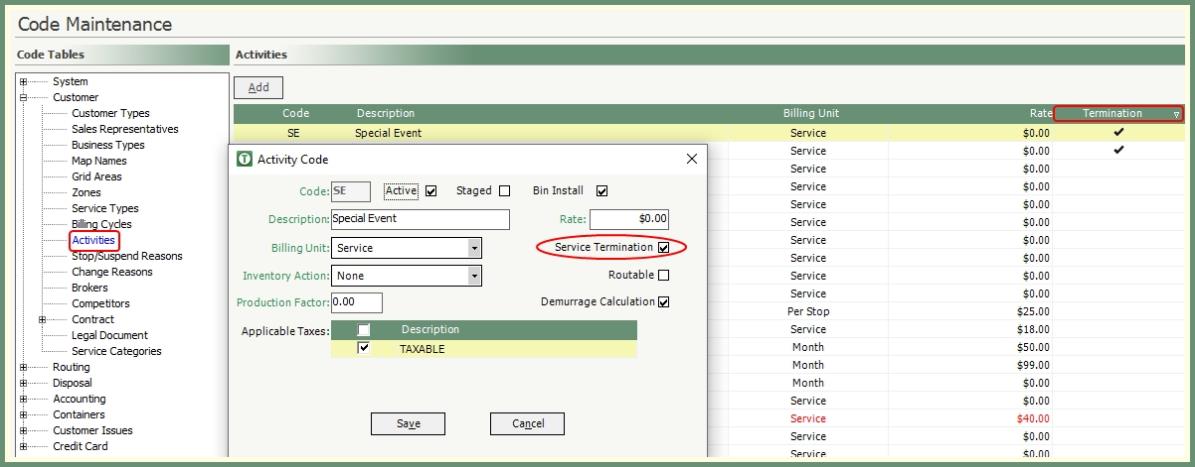
- Add or recall an Activity Code that will utilize service termination.
- Select Service Termination.
- Save.
- Activity Codes with Service Termination enabled will display a check mark in the Termination column.
Route Completion Service Terminations
Navigate To: Routing>Route Center
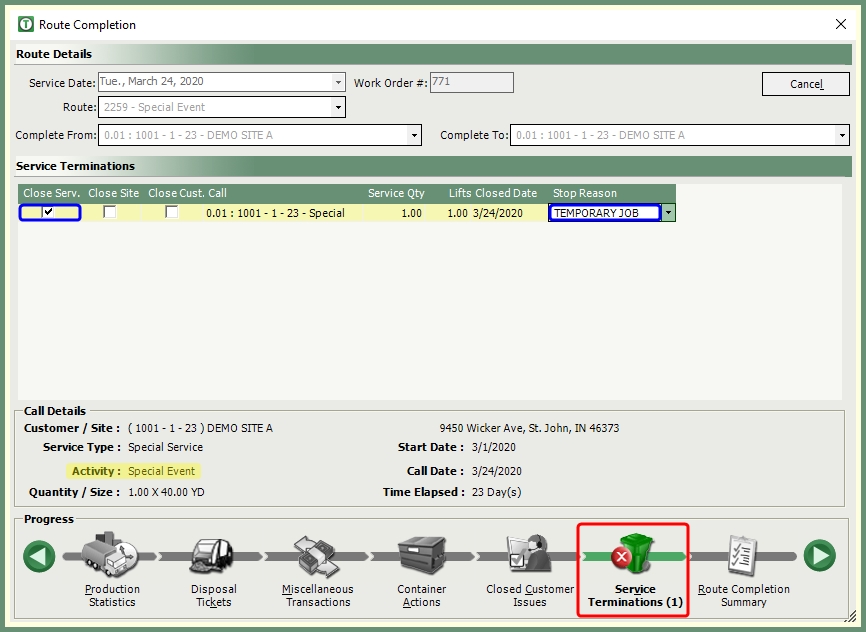
- Complete a Route via Route Completion or Detail Route Completion.
- If Service Terminations exist for calls on this route, a count will display during the completion process.
- In Service Termination , each service call with terminations will be listed in the Service Terminations grid.
- Close Service will be enabled.
- Close Service flag can be removed to bypass terminating the service.
- Close Site and/or Customer is optional and will not be enabled by default.
- Close Date will populate with the current date.
- Select a Stop Reason.
- Continue with Route Completion process as usual.
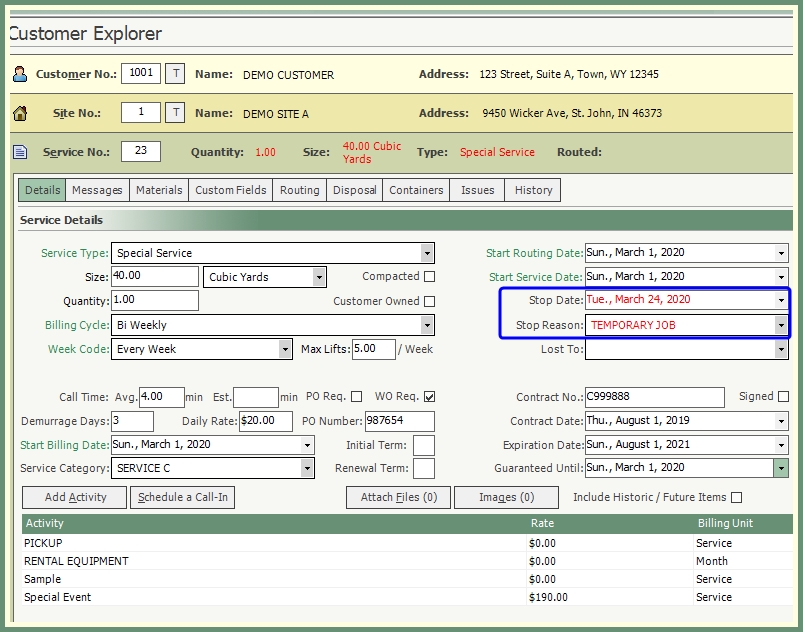
The service (and customer/site if selected) will be closed, display in red and will populate the applied stop date and reason.
Closed services with a service termination activity on the call will populate the completed termination calls grid where single, multiple or all services listed can be terminated based on the closed date parameters.
Navigate To: Customers>Global Service Termination
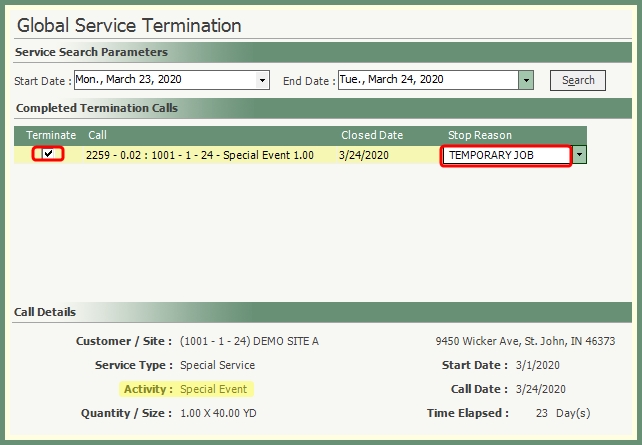
- Enter Start and End Date Range.
- Click Search.
- Completed calls with service terminations will populate the grid.
- The box in the Terminate column will be blank.
- Select the box to terminate service on the call(s).
- The closed date will populate with the current date.
- Call Details will display at the bottom of the screen for the selected call.
- Select a Stop Reason from the drop down.
- Click Save.
- The service on the completed call will be stopped with the current closed date and the selected stop reason.
- The stopped service will display in red.
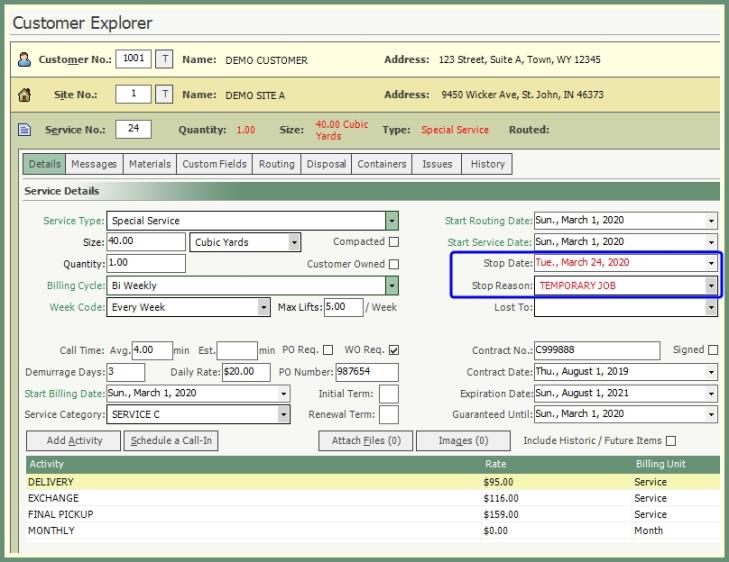
Navigate To: Report>Report Center>System>Logged Activities
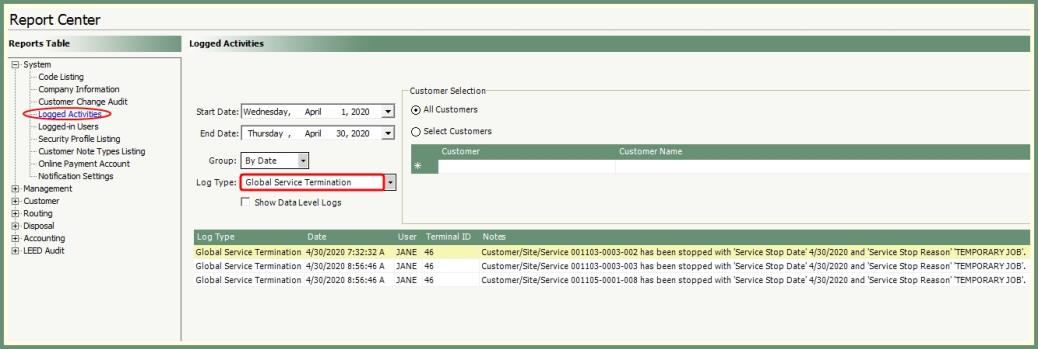
- Select Start and End Date Range to report.
- Verify or change the Group By option from the drop down list.
- Select Log Type Global Service Termination.
- Grid will populate with the global service termination information; date, user, terminal and notes.
- Select output type.