Miscellaneous Transaction Listing
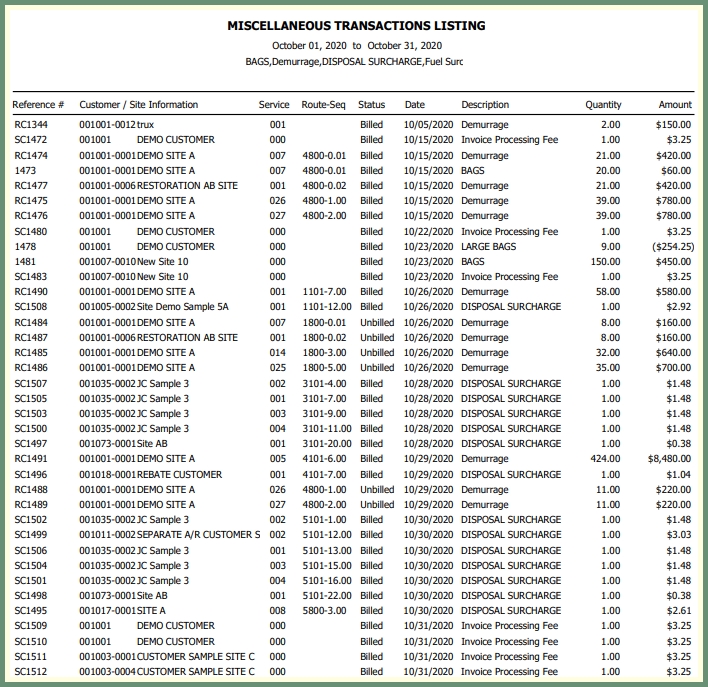
Generate a list of all or specified miscellaneous transactions by date.
Navigate To: Report>Report Center>Accounting>Miscellaneous Transaction Listing
|
|
-
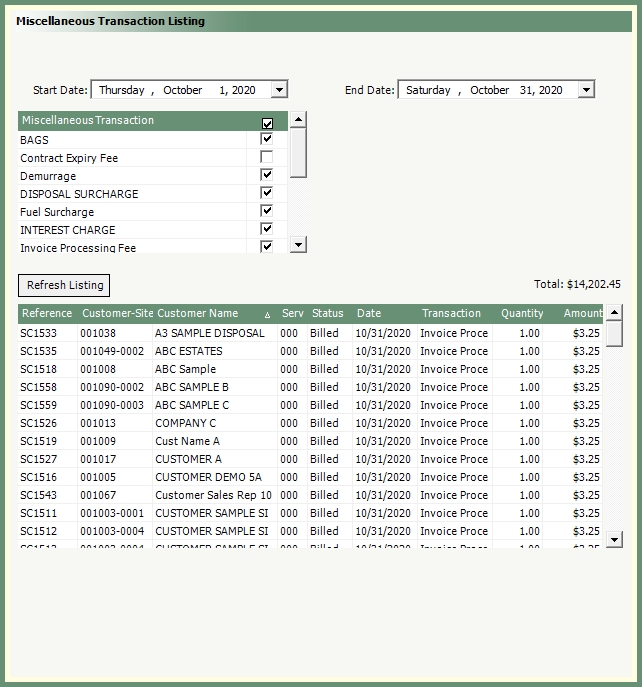
Select start and end dates.
-
Select all, multiple or single Miscellaneous Transaction.
-
Click Refresh.
-
The grid will populate with all qualifying miscellaneous transactions based on the current parameters.
-
The grid total will be displayed above the grid.
-
-
Select an output.